Premium Inboxes Alternative & Review
Premium Inboxes reviews explained: Reddit, Trustpilot, ratings, pricing, pros, cons, buyer concerns, and whether it is worth using for cold email.
Key Takeaways
- Premium Inboxes is positioned as a reseller of official Google Workspace and Microsoft 365 Business inboxes. Its official site promotes a “Done-For-You” setup process, unlimited replacement mailboxes, and dedicated support channels for higher-tier plans.
- Maildoso is stronger for teams that want lower entry cost, SMTP packages, IP rotation, and self-healing workflows. Maildoso publishes SMTP pricing, Google Workspace options, IP rotation, self-healing mailboxes, inbox placement checks, API documentation, and a 30-day money-back guarantee.
Premium Inboxes Review
Premium Inboxes reviews explained: Reddit, Trustpilot, ratings, pricing, pros, cons, buyer concerns, and whether it is worth using for cold email.
Rating & Reviews
Premiuminbox at any given time because their inboxes are pretty good and I’ve been using it since last few months and it’s working well.
— user review
I bought one inbox for $3.50 to test deliverability. I made the purchase on Friday, but I still haven’t been assigned an inbox. There’s been a lot of back-and-forth, and they’re requesting too much information and sensitive access.
— user review
Premium Inboxes aren’t pre-warmed but they are a legit company, I’ve used them before
— user review
Pros
- Official infrastructure. Premium Inboxes offers official Google Workspace and Microsoft 365 Business mailboxes, which can be appealing for teams that prefer these established providers.
- Done-For-You setup. The platform provides a fully managed setup process, reducing the technical burden on users when provisioning new mailboxes.
- Unlimited replacements. Premium Inboxes includes unlimited replacement mailboxes, which helps mitigate the impact of burned accounts.
Cons
- Inboxes are not pre-warmed. Users must handle the warm-up process themselves, which delays the start of active outreach campaigns.
- 🔴 Potential for batch suspensions. Some users have reported entire batches of accounts getting suspended simultaneously, likely due to shared provisioning patterns.
- 🔴 No explicit free trial.The official website does not clearly mention a free trial, making it harder for teams to test the service before committing.
Maildoso Review
Maildoso is an outbound infrastructure provider built around dedicated IPs, white-glove deliverability onboarding, and a flat per-mailbox model with no per-account cap. It is designed for sales and demand-gen teams that need predictable inbox placement at scale without operating their own mail servers.
Maildoso Pros
- Dedicated IPs from day one — no shared-pool contamination from neighbouring senders.
- White-glove onboarding with deliverability engineers; SPF, DKIM, and DMARC configured for you.
- Flat per-mailbox pricing with no monthly send cap and no per-account markup.
- Direct support from a team that operates mail infrastructure, not generic ticket triage.
Maildoso Cons
- Higher entry price than shared-IP services aimed at single-mailbox use.
- Designed for teams sending at scale; overkill for one or two mailboxes.
Detailed Pricing Comparison
| Mailbox type | Price per mailbox | Minimum package |
|---|---|---|
| Maildoso SMTP | $0.49-2.5 | $25 |
| Maildoso GW | $2.7-4 | $40 |
| Premium Inboxes | $2.8-4.5 | $3.5 |
Feature Comparison Table
| Feature | Maildoso | Premium Inboxes |
|---|---|---|
| Mailbox types | SMTP, GW | GW, MS 365 |
| API Availability | Full access (on all plans) | IP type |
| IP rotation (best for deliverability) | GW/MS IPs | Self-healing mailboxes |
| Support | Email, Chat, Slack, Tech Audits | Not specified |
| Refund policy | 30-day guarantee | No refunds |
| Trials | 300 mailboxes for 30 days | Final rating |
Cold outreach breaks when infrastructure breaks. A campaign can have strong targeting, clean copy, and good sequencing, but if the mailboxes are weak, the result is still spam placement, account churn, and stalled pipeline. The problem becomes more expensive at scale because every burned mailbox can mean lost warmup time, new DNS work, reconnecting sequencers, and replacing domains.
This comparison looks at Premium Inboxes and Maildoso as infrastructure providers for teams that need outbound-ready mailboxes. The focus is practical: pricing, mailbox types, IP approach, recovery options, support, refund visibility, public reviews, and what each provider is best suited for.
Key Takeaways
Premium Inboxes
The company was founded in June 2023 by Richard Illingworth.
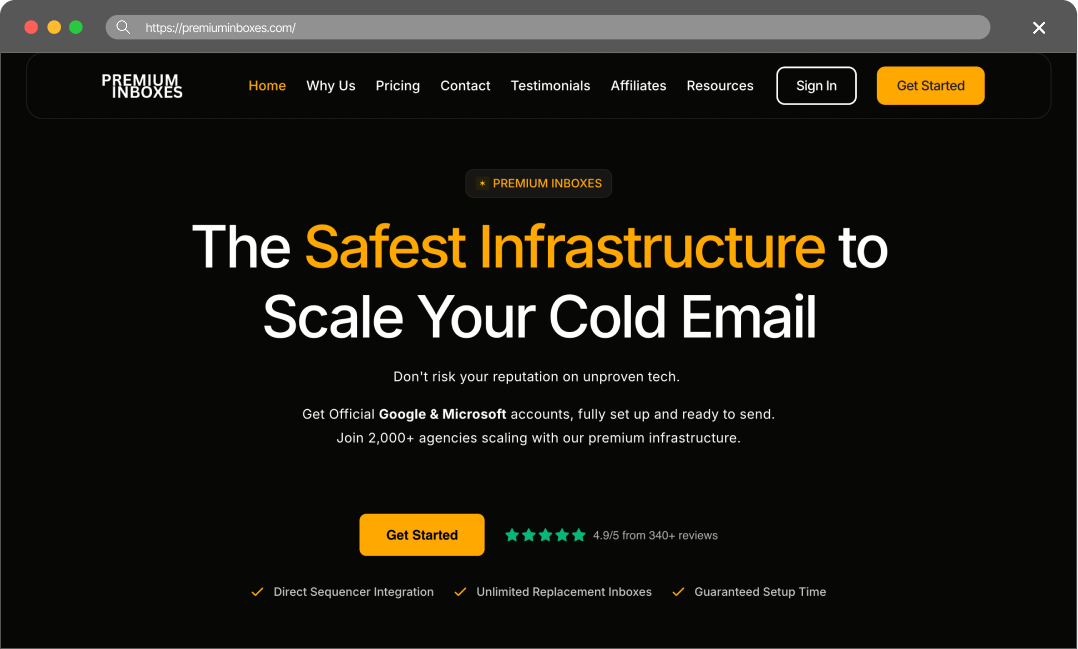
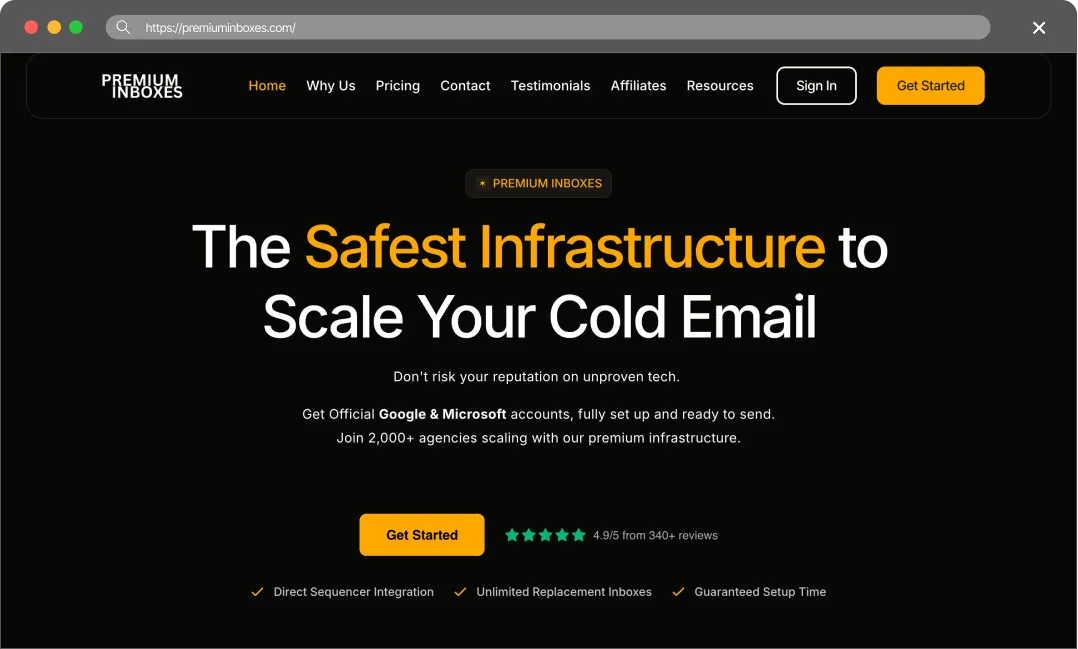
Premium Inboxes describes itself as a reseller of Official Google Workspace and Microsoft 365 Business inboxes. The product appears built for teams that want a provider to handle mailbox provisioning and setup rather than assembling these pieces manually. Its public page lists a “Done-For-You” setup process, unlimited replacement inboxes, and an “Insured Infrastructure” plan.
Premium Inboxes’ main difference is the focus on official infrastructure. The site highlights that they provide official Google and Microsoft business accounts, which they claim offer better deliverability than shared IPs or custom SMTP setups. They also offer Priority Support, a Dedicated Account Manager, and a Dedicated Slack Channel for Enterprise and Insured Infrastructure plans.
The True Cost of Bad Deliverability
Do not choose a provider just because they offer the cheapest inboxes. Cheap infrastructure always costs more in the long run. When your deliverability drops, you pay for it in three ways:
- You burn expensive leads. Good B2B data costs money. If your emails land in the spam folder, you waste those leads. You pay for contacts who never even see your pitch.
- You destroy your domains. Once spam filters flag a domain, it is incredibly hard to fix. You usually have to throw the domain away, buy a new one, and start the warm-up process all over again.
- You lose revenue. Every email that goes to spam is a missed meeting. In B2B sales, missing one connection can cost you thousands of dollars in closed revenue.
You have to treat cold email infrastructure as an investment. Maildoso.ai gives you the technical tools to protect your domains and keep your emails in the primary inbox. It is the only way to scale outbound sales profitably.
Final Thoughts
Overall, we haven’t found anything suspicious – the product looks reliable and is priced at a fair market rate.
We should also highlight that this provider has the highest number of reviews on Trustpilot, with 400+ reviews. That is truly impressive. Furthermore, their promised delivery time of under 6 hours is an excellent benchmark (I once set up mailboxes with Scaledmail and ended up waiting nearly three days).
Because of this, we recommend Premium Inboxes.
However, we’d like to note that our mailboxes offer the same level of reliability but at a more affordable price point. We suggest diversifying your infrastructure and testing different solutions – this is the best way to find the perfect setup for your specific needs.
FAQ
Is Premium Inboxes cheaper than Maildoso?
Maildoso’s per-mailbox pricing ($0.49-$2.5) offers a lower entry point for a single mailbox and is more cost-effective at scale.
Does Premium Inboxes offer API access?
Premium Inboxes implies integration with sequencers like Smartlead and Instantly, but direct API access for users is not explicitly mentioned on their website. Maildoso provides full API access with public documentation.
Which is better for agencies?
Premium Inboxes can work for agencies that want official Google and Microsoft accounts with a Done-For-You setup. Maildoso is usually better for agencies that prioritize recovery workflows, API documentation, IP rotation, and self-healing mailboxes.